Free Weapons Pack - 10 Animated Pixel Art Weapons [16/32/48/64px]
A downloadable asset pack
Use these free animated weapons in your pixel art games!
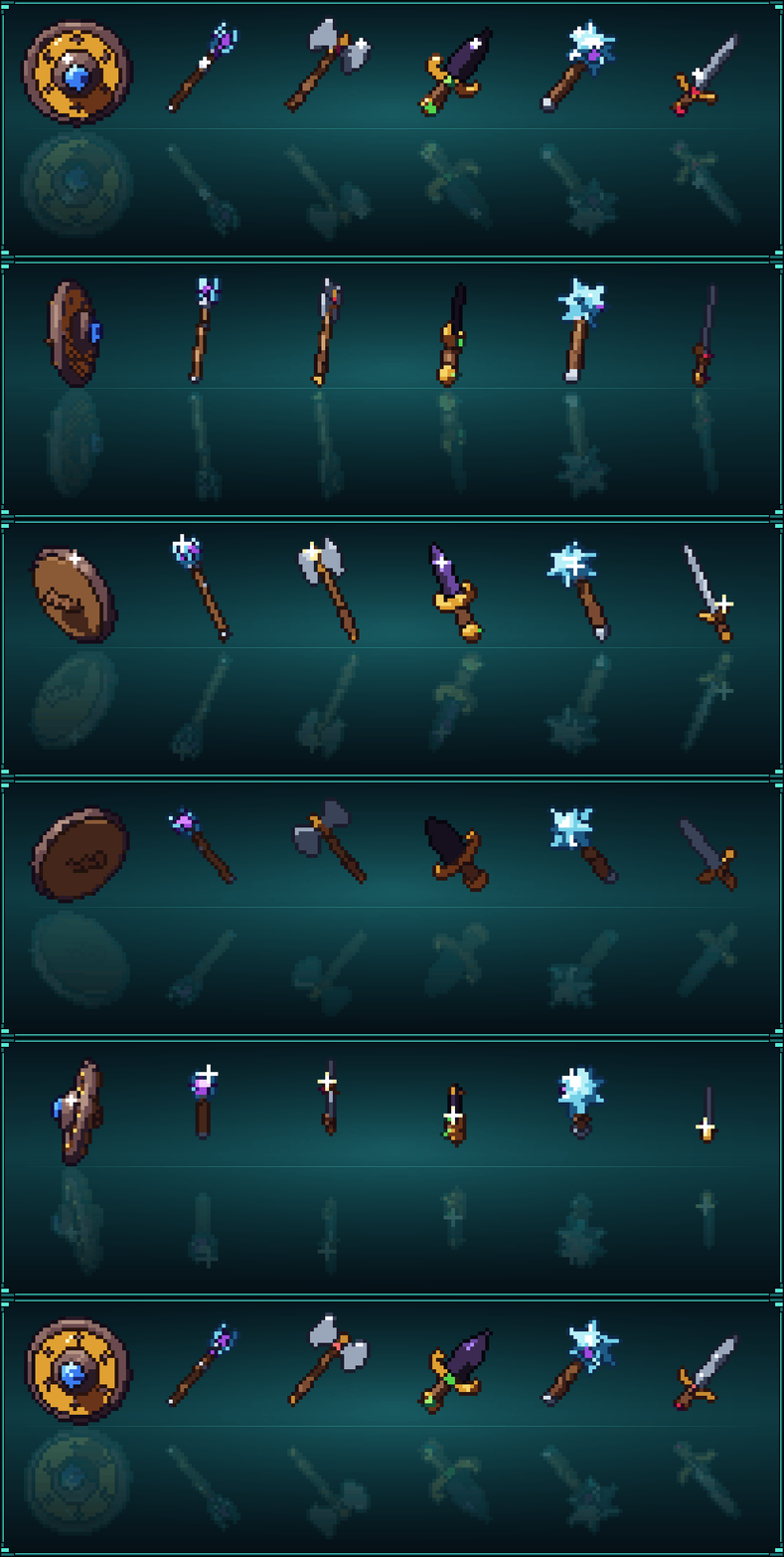
10 animated weapons, each with a set gem: an iron knight sword, a crystal katana, an obsidian dagger, an iron battle axe, a gold war hammer, a crystal mace, an iron spear, a gold bow, a crystal magic staff and a gold round shield, every one turning in 4 sizes and 2 angles.
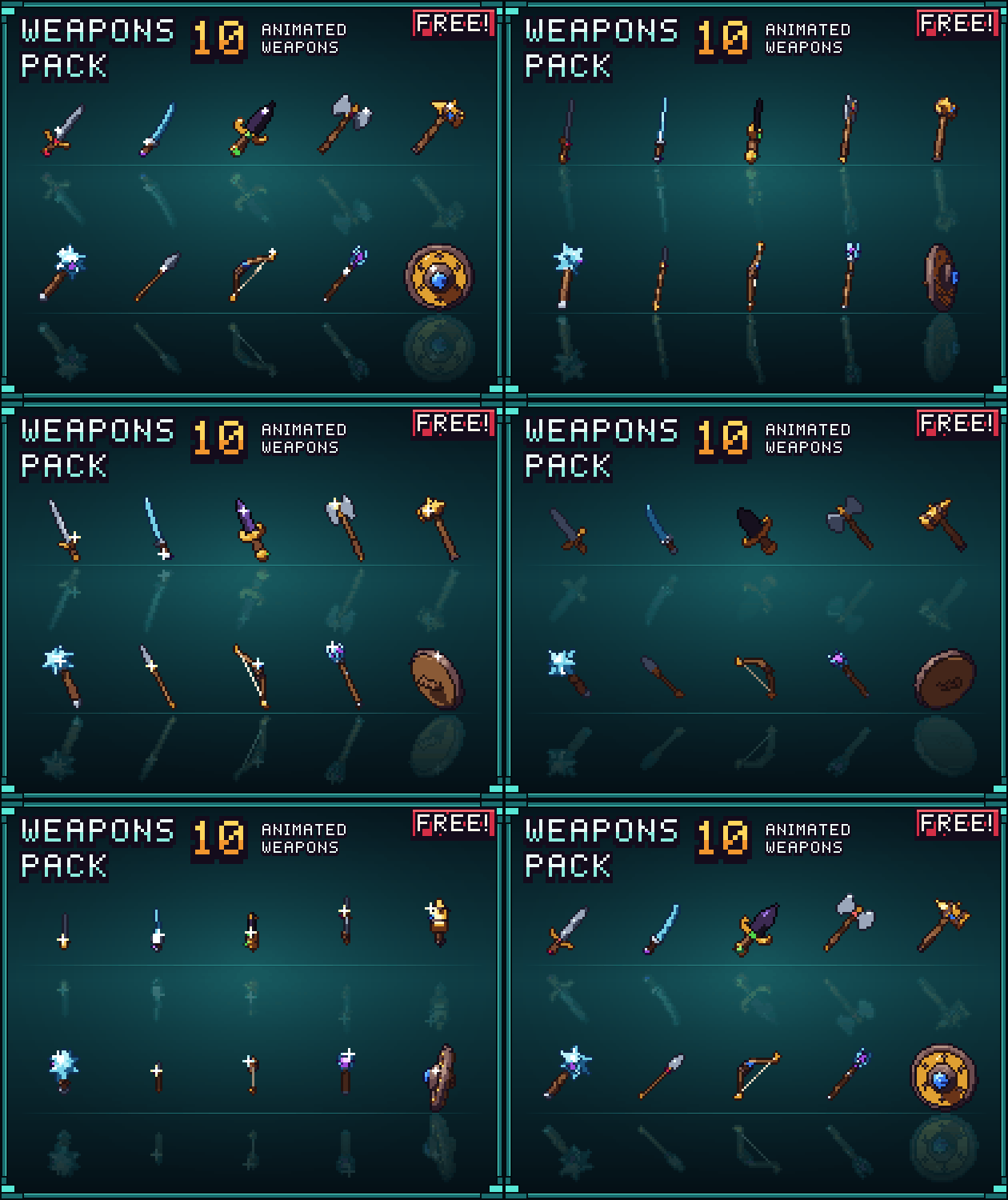
What's included:
- 10 pixel art weapons and their spritesheets (transparent png)
- every weapon turns (24 frames) with glints and sparkles on its metal: use one frame as an inventory icon, or play the turn for a pickup or a shop!
- 4 sizes for each weapon: 16px, 32px, 48px & 64px!
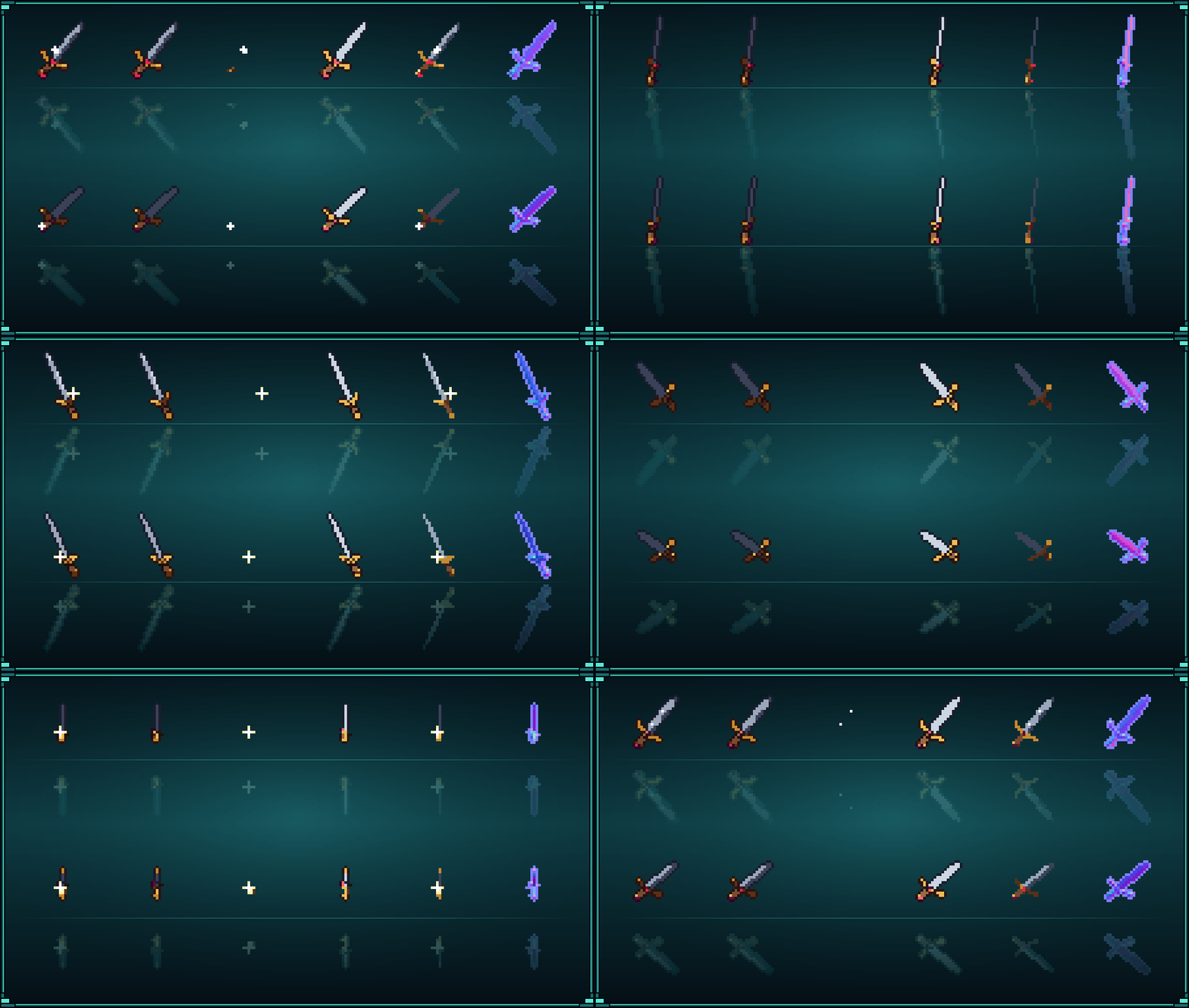
- 2 angles for each weapon, for scroller (facing camera) & top-down (seen from above) games!
- 2 variants for each weapon, with & without outline, to match more art styles!
- 2 shades for each weapon, lit & unlit + 1 normal map, to use your own shading technique!
- separate layers to combine in your engine: the shine (glints, sparkles) to draw over the lit sprite, the outline alone, and a contact shadow!

Up close:
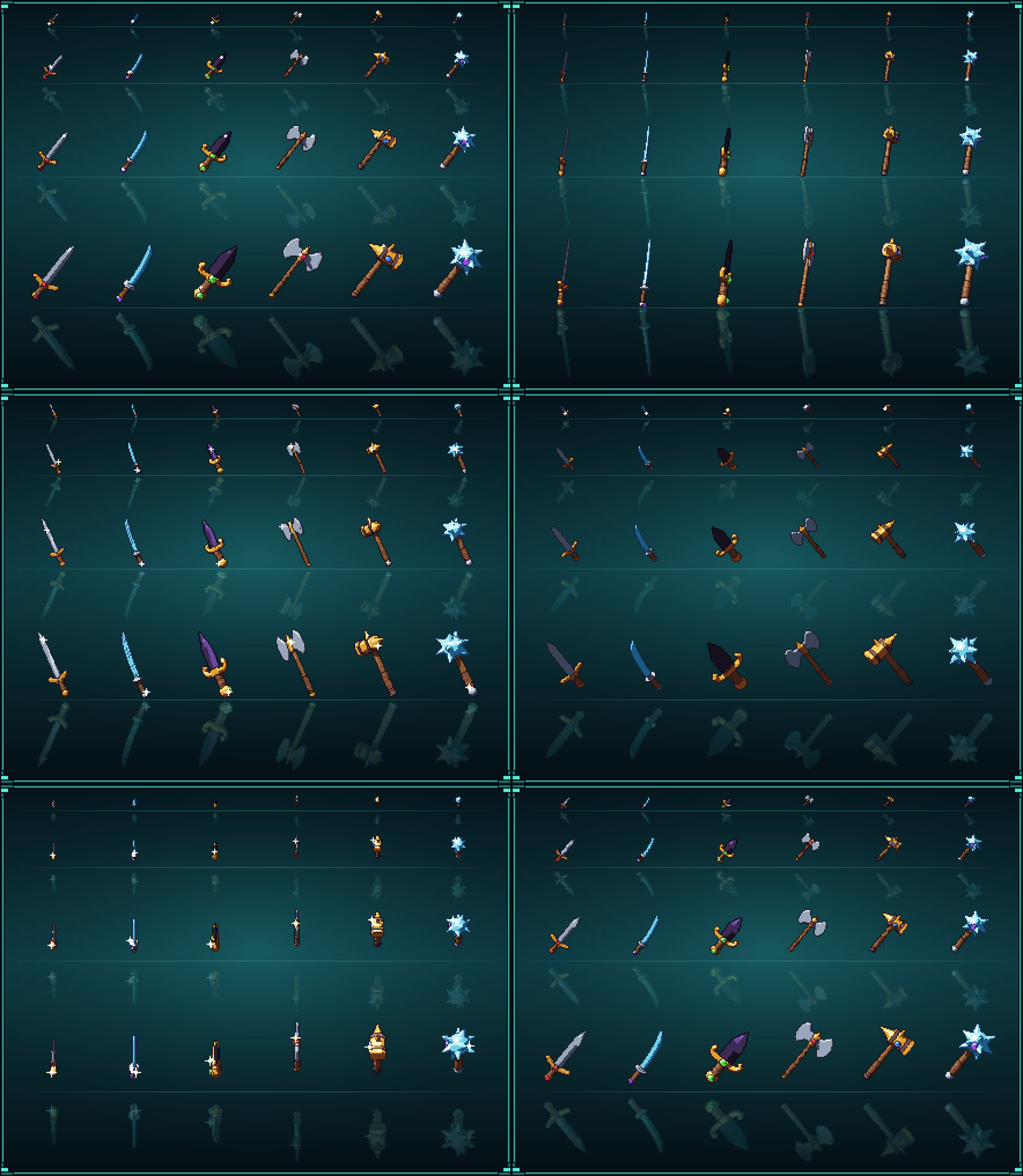
Every sheet of the knight sword, at 32px:
Made with Pixor
The sprites in this pack were made with Pixor, my tool that turns 3D models into animated pixel-art sprite sheets: every side, frame by frame, the same pixels every time. Pay once, every pixel drawn by shaders, offline. Each weapon is one 3D model; its four tiers are the same render through four colour ramps, and the glints and sparkles are Pixor's shine layer.
Free browser demo, manual and 1,000+ free CC0 models: https://pixor.art/
How to use
1. Download the zip with the button above and unzip it. Each weapon has its own folder; <weapon>-<tier> names a tier, for example knight-sword-iron.
2. Pick a sheet: <weapon>_<size>_<angle>_<outline>_<layer>.png, for example knight-sword-iron_32px_scroller_outline_lit.png. Draw _lit and _shine over it for the finished look; _unlit is flat colours. Each size and angle also has _normal, _lines (the outline alone) and _shadow (a contact shadow). Every frame is a square of its size (16, 32, 48 or 64 px). Each sheet is one row: a full turn of 24 frames, looping. Play it at 12 frames per second, or take any frame as an icon.
3. Import it into your engine:
- Godot 4: import with Filter: Nearest (Project Settings → Rendering → Textures → Default Texture Filter). Add an AnimatedSprite2D, create SpriteFrames, click Add frames from sprite sheet, set Horizontal to the columns and Vertical to the rows, and pick the row; 12 FPS, looping.
- Unity: Texture Type: Sprite (2D and UI), Sprite Mode: Multiple, Filter Mode: Point (no filter), Compression: None, Pixels Per Unit = the sheet's size. In the Sprite Editor: Slice → Grid By Cell Size (16, 32, 48 or 64). Drag one row's slices into the scene to make an animation; set it to 12 samples.
- GameMaker: Create Sprite → Import Strip Image, one row at a time, size = the sheet's size, then set the sprite's speed to 12 frames per second.
- Aseprite: open the PNG with its .json beside it, or File → Import → Import Sprite Sheet, type By Rows, width and height = the sheet's size.
The normal maps (_normal.png) line up frame for frame with the sheets, for 2D lights (Godot CanvasTexture, Unity Secondary Textures → _NormalMap).
License: https://creativecommons.org/licenses/by/4.0/ (credit "Frakassets")
You can directly include it in your game or use it as a framework to create new sprites!
Please rate and comment if you like it! <3
Check out my other assets:
Download
Click download now to get access to the following files:
Leave a comment
Log in with itch.io to leave a comment.